
- Welcome to CountryPlans Forum.


Recent posts
#21
Referral Links / Re: Medeek Stair Plugin
Last post by Medeek Engineering - May 05, 2026, 05:41:08 AMI think I have the post algorithm mostly worked out now. The PTP posts use boolean subtraction against the hand rail since we can't be certain of their contact angle or if they are square, round or some other non-standard geometry (custom components).
The problem with boolean subtraction is that if you are a dealing with a lot of rail segments and posts it can slow things up a bit. I may have to rethink this or have a way to disable the boolean subtraction for those who prefer performance over cosmetics.


The problem with boolean subtraction is that if you are a dealing with a lot of rail segments and posts it can slow things up a bit. I may have to rethink this or have a way to disable the boolean subtraction for those who prefer performance over cosmetics.
#22
Referral Links / Medeek Stair Plugin
Last post by Medeek Engineering - May 03, 2026, 10:14:07 PMAfter some more updating of the new railing tool code and some additional logic, here is an OTP rail with various fittings and various corner conditions:


#23
Referral Links / Re: Modeling with mdkBIM
Last post by Medeek Engineering - April 24, 2026, 01:12:17 AMI've never really advertised my extensions too much, most of my customers are word of mouth and since I am now fairly well known in the SketchUp community the need to advertise has never really been something I've worried about.
However, what many people don't know is that for students and educators I am practically giving away my extensions for free. Couple that with either an educational license for SketchUp or SketchUp Make 2017 (free and can be used for non-commercial work) one can be modeling with all of the Medeek extensions and its not going to break the bank. To that end I have put together this small Youtube Short (video), hopefully it is well received.
However, what many people don't know is that for students and educators I am practically giving away my extensions for free. Couple that with either an educational license for SketchUp or SketchUp Make 2017 (free and can be used for non-commercial work) one can be modeling with all of the Medeek extensions and its not going to break the bank. To that end I have put together this small Youtube Short (video), hopefully it is well received.
#24
Referral Links / Re: Wall Plugin for SketchUp
Last post by Medeek Engineering - April 23, 2026, 12:49:11 AMVersion 4.5.1 - 04.22.2026
- Enabled custom components as baluster shoes for vertical and OTP handrails.
- Added the following (L.J. Smith) baluster shoes into the baluster shoe component library: LI_ALFSH01, LI_ALR010, LI_ALRD201, LI_ALSQ301, LI_ALSQPL1, LI_PROCOL.
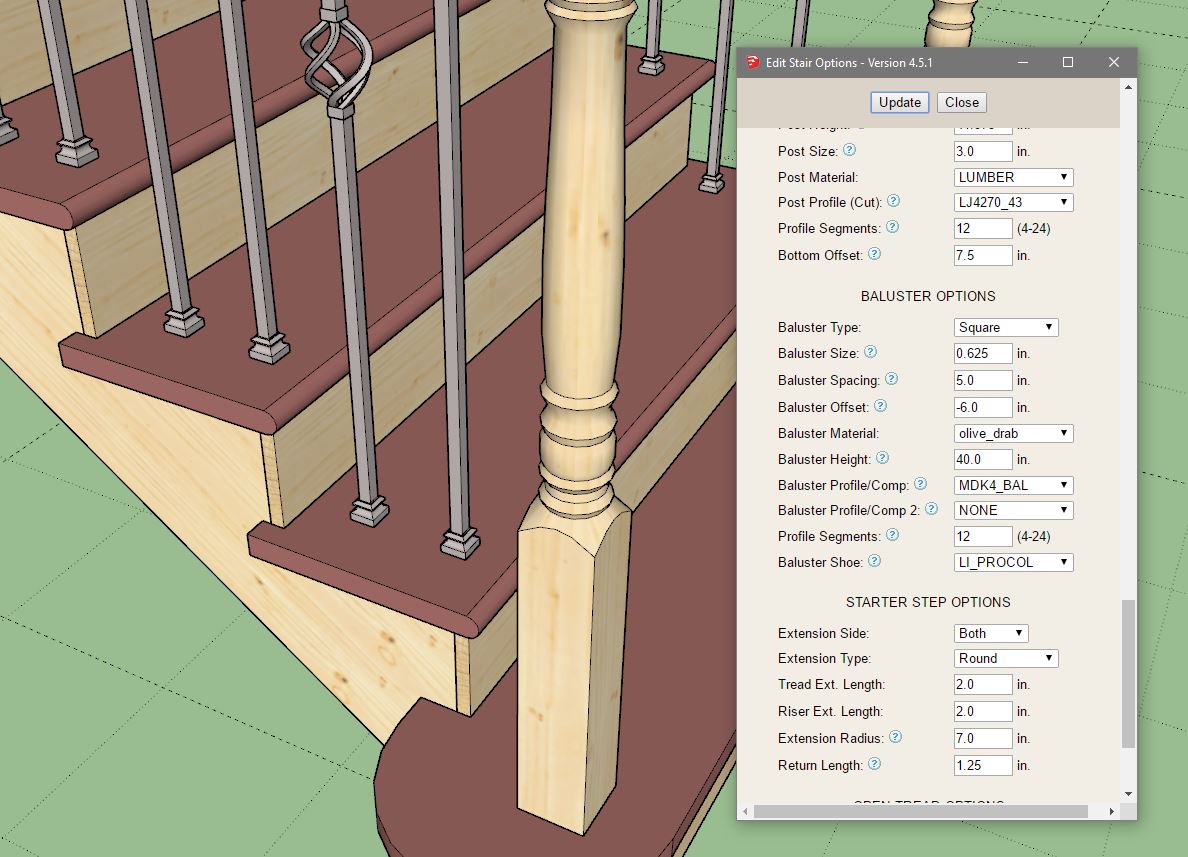
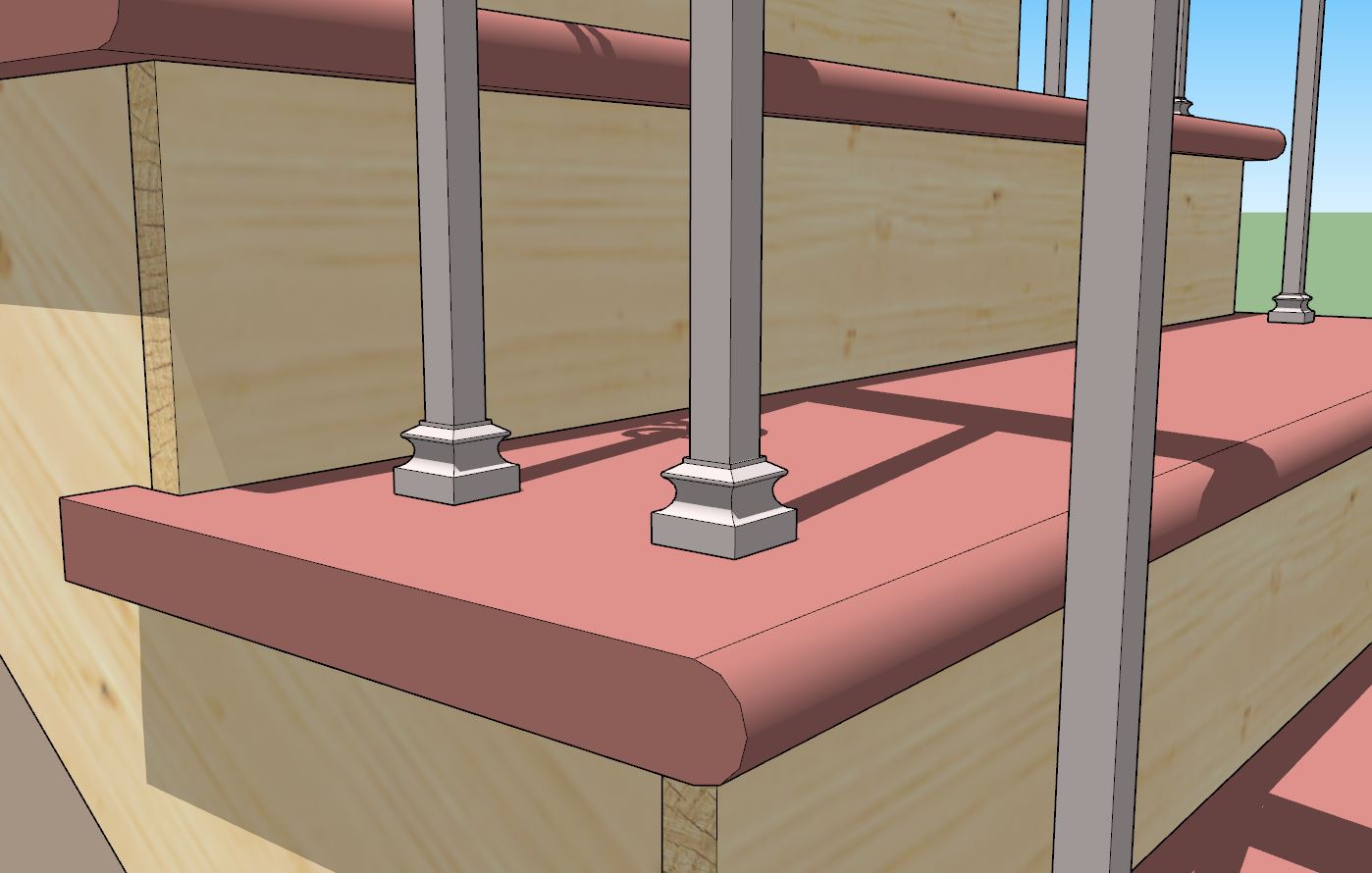
I took the time today to carefully model a few of these baluster shoes since they are fairly simple geometry and it is always fun to get my hands dirty with some actual modeling and take a small break from the code.
- Enabled custom components as baluster shoes for vertical and OTP handrails.
- Added the following (L.J. Smith) baluster shoes into the baluster shoe component library: LI_ALFSH01, LI_ALR010, LI_ALRD201, LI_ALSQ301, LI_ALSQPL1, LI_PROCOL.
I took the time today to carefully model a few of these baluster shoes since they are fairly simple geometry and it is always fun to get my hands dirty with some actual modeling and take a small break from the code.
#25
Referral Links / Re: Wall Plugin for SketchUp
Last post by Medeek Engineering - April 21, 2026, 05:14:15 PMWell... I thought I was done with balusters and newel posts, but I'm not quite there yet.
The problem is that with metal or iron balusters they are often installed with a shoe as shown below:

My current algorithm installs balusters just like they are installed in real life:
First I trim the top of the original baluster component/group and then I have to trim them individually for each of their bottoms because the balusters may intersect the treads at different heights hence their heights/lengths will be different.
Because of this a predefined shoe positioned at the base of the baluster component may work for one location (ie. no trimming required) but then it will be removed in subsequent baluster locations.
What this means in practice is that a shoe (if that option were enabled) needs to be a completely separate group/component just as it is in real life. My algorithm needs to position it individually in the Z-dir just as I trim each baluster bottom individually.
Arguably, there is a lot going on with stairs, the guys that install these must be real craftsmen, I certainly take my hat off to them.
The problem is that with metal or iron balusters they are often installed with a shoe as shown below:
My current algorithm installs balusters just like they are installed in real life:
First I trim the top of the original baluster component/group and then I have to trim them individually for each of their bottoms because the balusters may intersect the treads at different heights hence their heights/lengths will be different.
Because of this a predefined shoe positioned at the base of the baluster component may work for one location (ie. no trimming required) but then it will be removed in subsequent baluster locations.
What this means in practice is that a shoe (if that option were enabled) needs to be a completely separate group/component just as it is in real life. My algorithm needs to position it individually in the Z-dir just as I trim each baluster bottom individually.
Arguably, there is a lot going on with stairs, the guys that install these must be real craftsmen, I certainly take my hat off to them.
#26
Referral Links / Re: Wall Plugin for SketchUp
Last post by Medeek Engineering - April 20, 2026, 10:17:11 PMVersion 4.5.0 - 04.20.2026
- Enabled custom components as posts for OTP handrails.
- Enabled "profile cutting" of posts for OTP handrails.
- Modified the bottom trimming algorithm for balusters to better accommodate complex baluster components.
- Added one additional ornamental iron baluster into the baluster component library.
- Added one OTP newel post into the newel post component library: LJ4270_43


I will readily admit configuring OTP handrails with their associated posts and fittings is a bit tricky, adjusting the various offsets takes a few iterations to really hone things in.
- Enabled custom components as posts for OTP handrails.
- Enabled "profile cutting" of posts for OTP handrails.
- Modified the bottom trimming algorithm for balusters to better accommodate complex baluster components.
- Added one additional ornamental iron baluster into the baluster component library.
- Added one OTP newel post into the newel post component library: LJ4270_43
I will readily admit configuring OTP handrails with their associated posts and fittings is a bit tricky, adjusting the various offsets takes a few iterations to really hone things in.
#27
Referral Links / Re: Wall Plugin for SketchUp
Last post by Medeek Engineering - April 19, 2026, 09:14:18 PMVersion 4.4.9 - 04.19.2026
- Enabled a secondary custom profile/component parameter for balusters.
- Added additional ornamental iron balusters into the baluster component library.
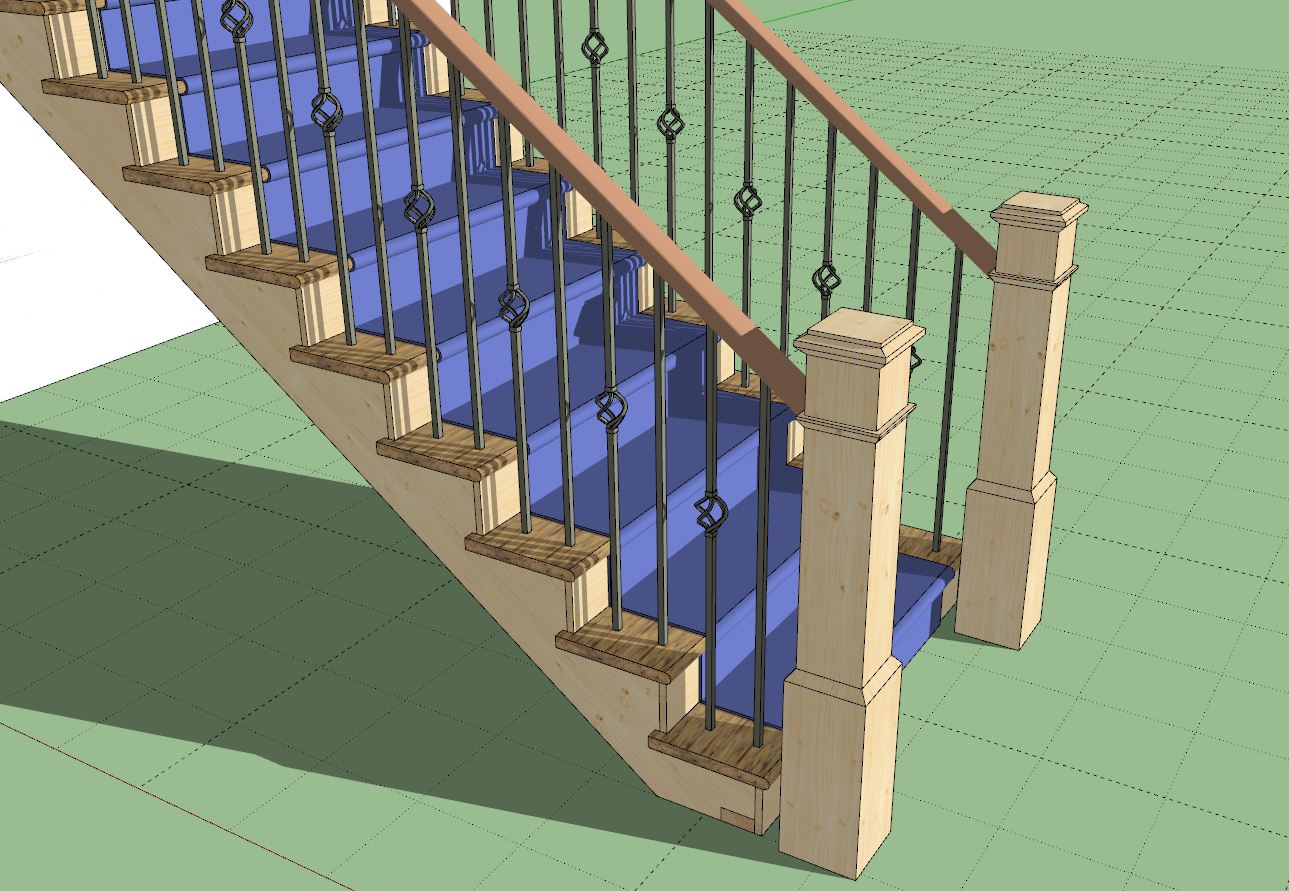
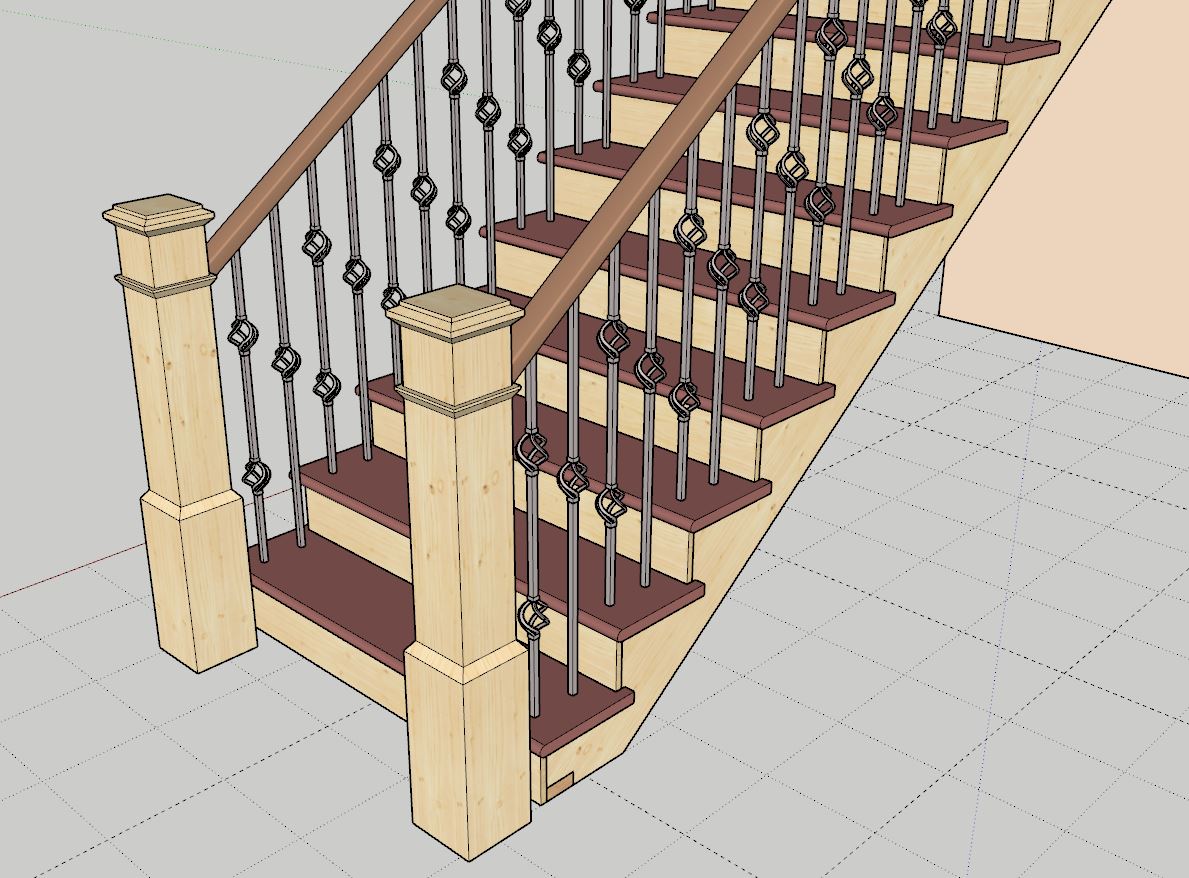
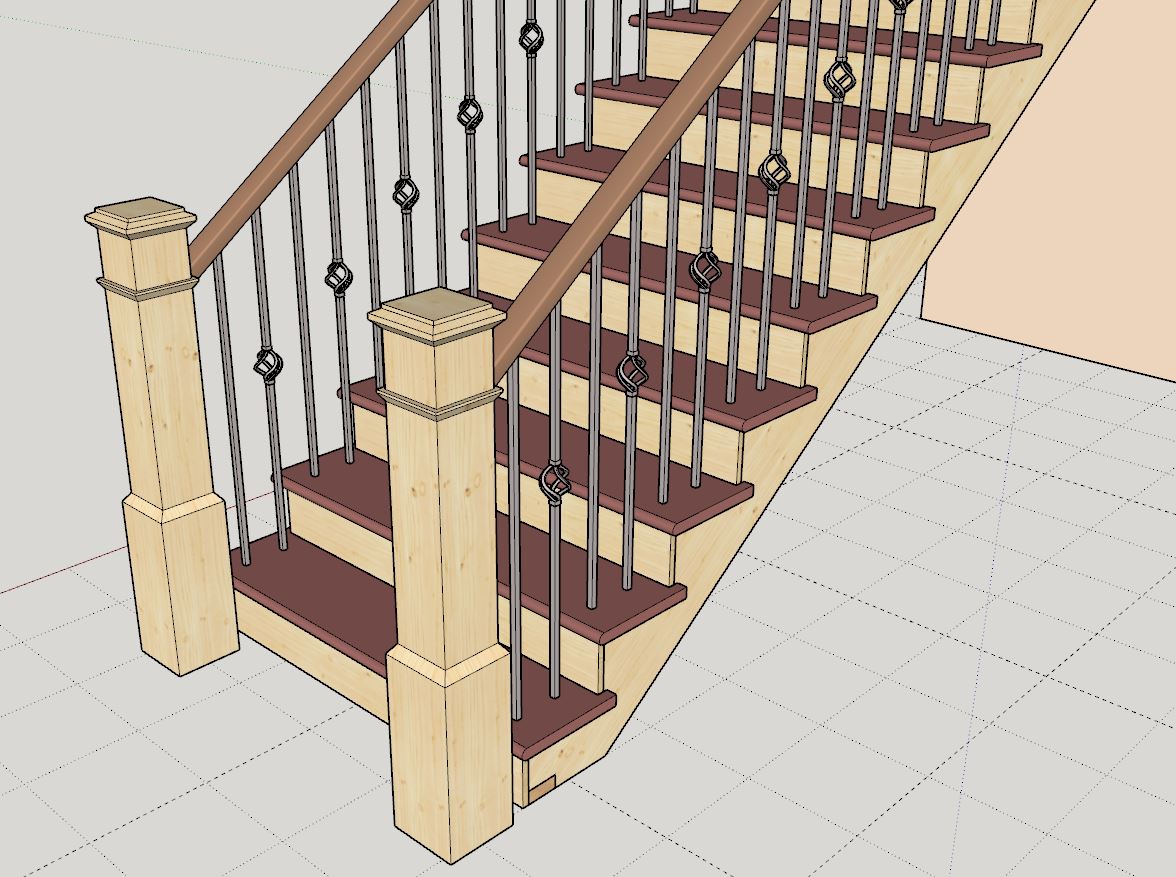
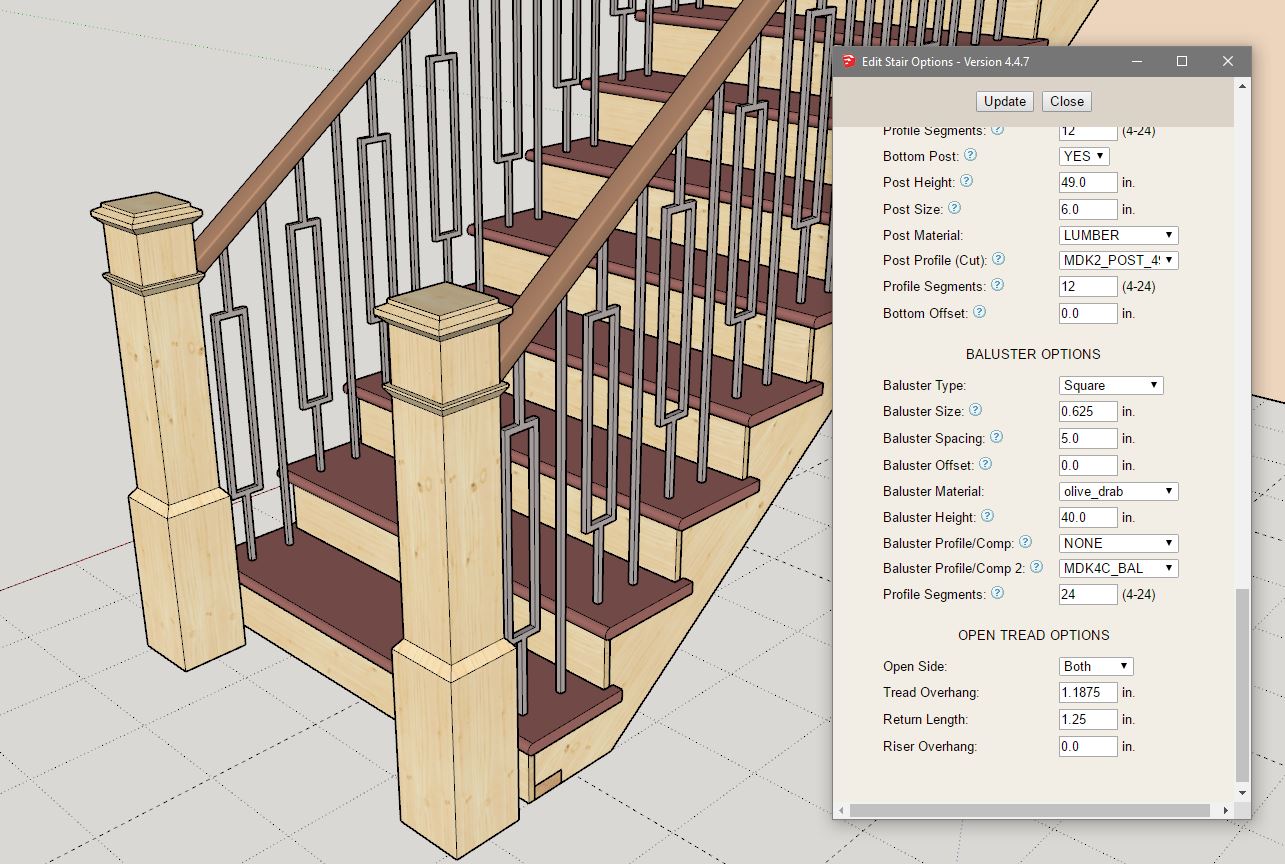
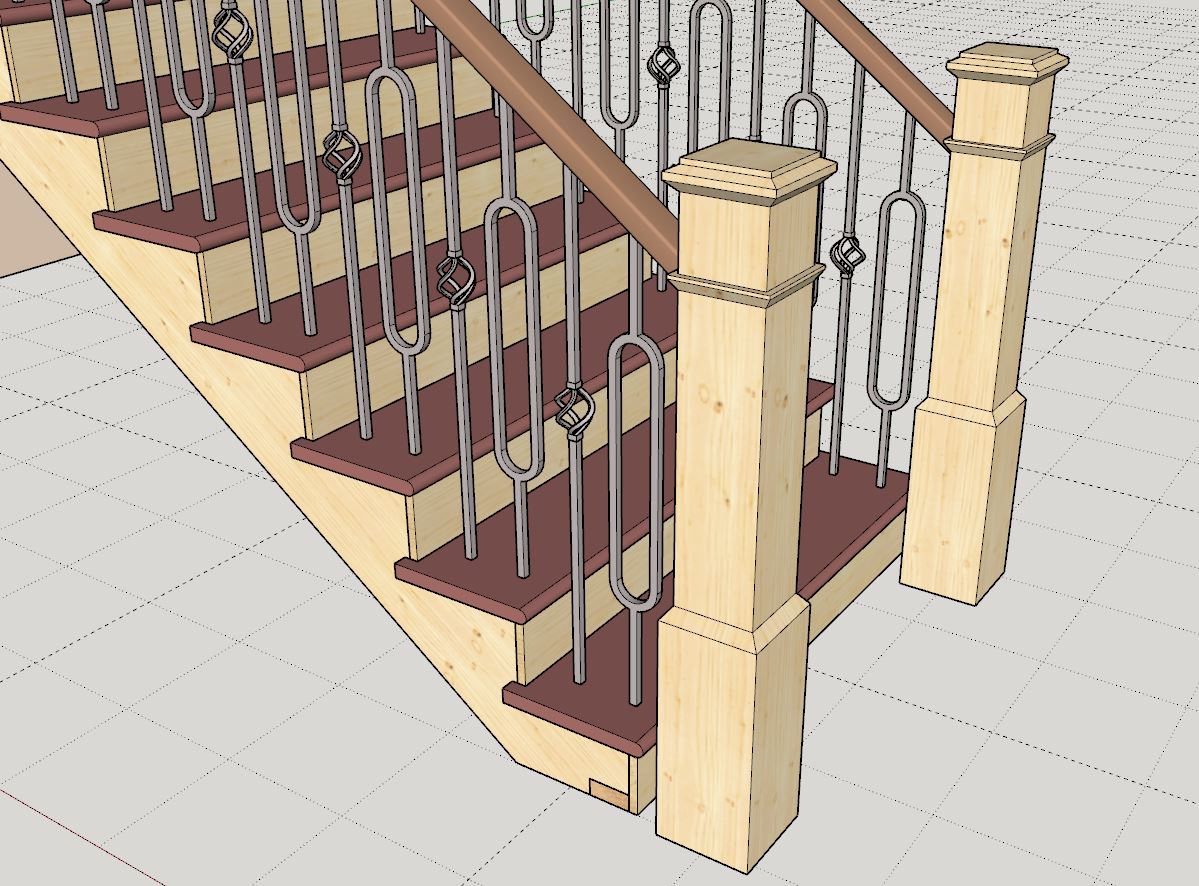
I think I've beat this horse to death. Hopefully with this added option we can configure most of the common baluster layouts, however there will always be a few that will be beyond the scope of the plugin (ie. three or more baluster types in various repeating patterns).
- Enabled a secondary custom profile/component parameter for balusters.
- Added additional ornamental iron balusters into the baluster component library.
I think I've beat this horse to death. Hopefully with this added option we can configure most of the common baluster layouts, however there will always be a few that will be beyond the scope of the plugin (ie. three or more baluster types in various repeating patterns).
#28
Referral Links / Re: Wall Plugin for SketchUp
Last post by Medeek Engineering - April 19, 2026, 03:15:47 PMVersion 4.4.8c - 04.19.2026
- Fixed a minor typo in the stair module.
- Added a ornamental iron baluster into the baluster component library.
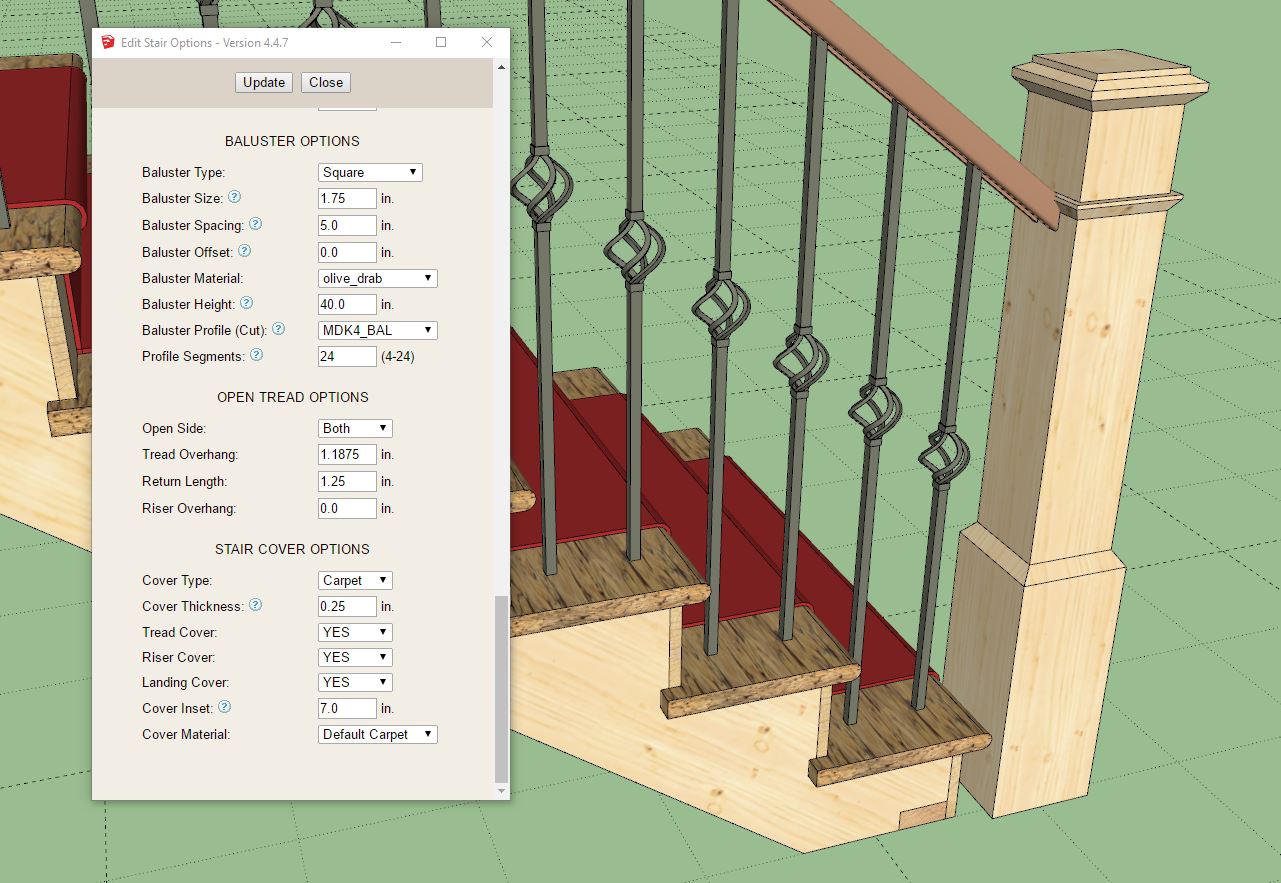
The limitations of profile cutting balusters can be overcome by using a predefined component instead, which allows for much more intricate baluster geometries.
However as I have been researching various baluster layouts I've noticed that with iron balusters usually more than one baluster style is utilized. The typical scenario is two or three different baluster geometries are alternated along the run of stairs. I will need to give this some more thought.

Stairs can be a "rabbit hole".
- Fixed a minor typo in the stair module.
- Added a ornamental iron baluster into the baluster component library.
The limitations of profile cutting balusters can be overcome by using a predefined component instead, which allows for much more intricate baluster geometries.
However as I have been researching various baluster layouts I've noticed that with iron balusters usually more than one baluster style is utilized. The typical scenario is two or three different baluster geometries are alternated along the run of stairs. I will need to give this some more thought.
Stairs can be a "rabbit hole".
#29
Referral Links / Re: Wall Plugin for SketchUp
Last post by Medeek Engineering - April 19, 2026, 12:33:58 AMVersion 4.4.8b - 04.18.2026
- Enabled custom components as balusters for vertical and OTP handrails.
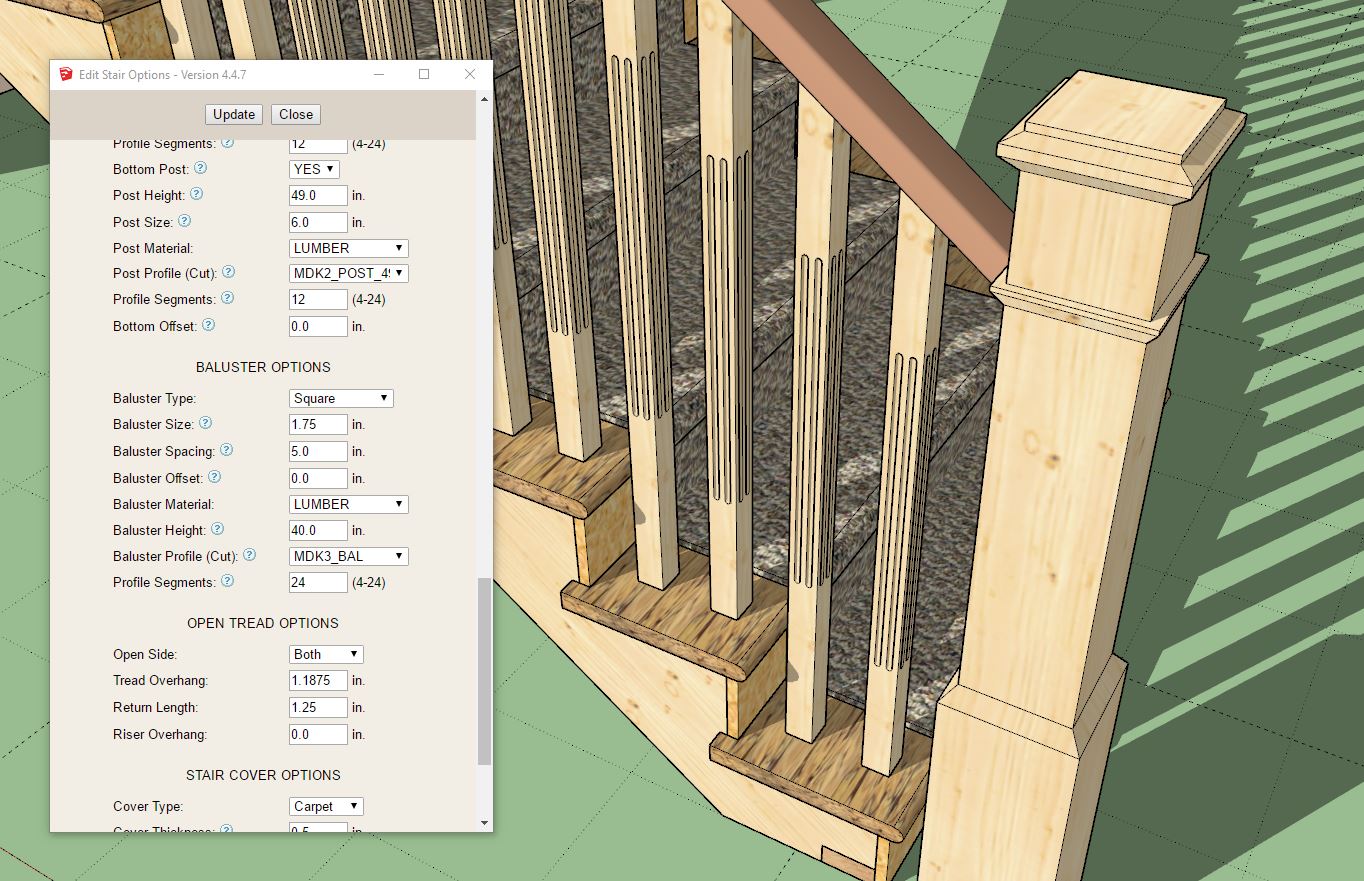
Th sub-folder structure is the same as for newel posts, so Tutorial #85 is applicable to balusters as well.
- Enabled custom components as balusters for vertical and OTP handrails.
Th sub-folder structure is the same as for newel posts, so Tutorial #85 is applicable to balusters as well.
#30
Referral Links / Re: Wall Plugin for SketchUp
Last post by Medeek Engineering - April 18, 2026, 06:01:52 PMTutorial 85 - Profile Cut Newel Posts (9:04 min.)